Control should not disappear behind a little gear icon.
Language, text size, your PIN, backups and online access — in plain words and under your control.
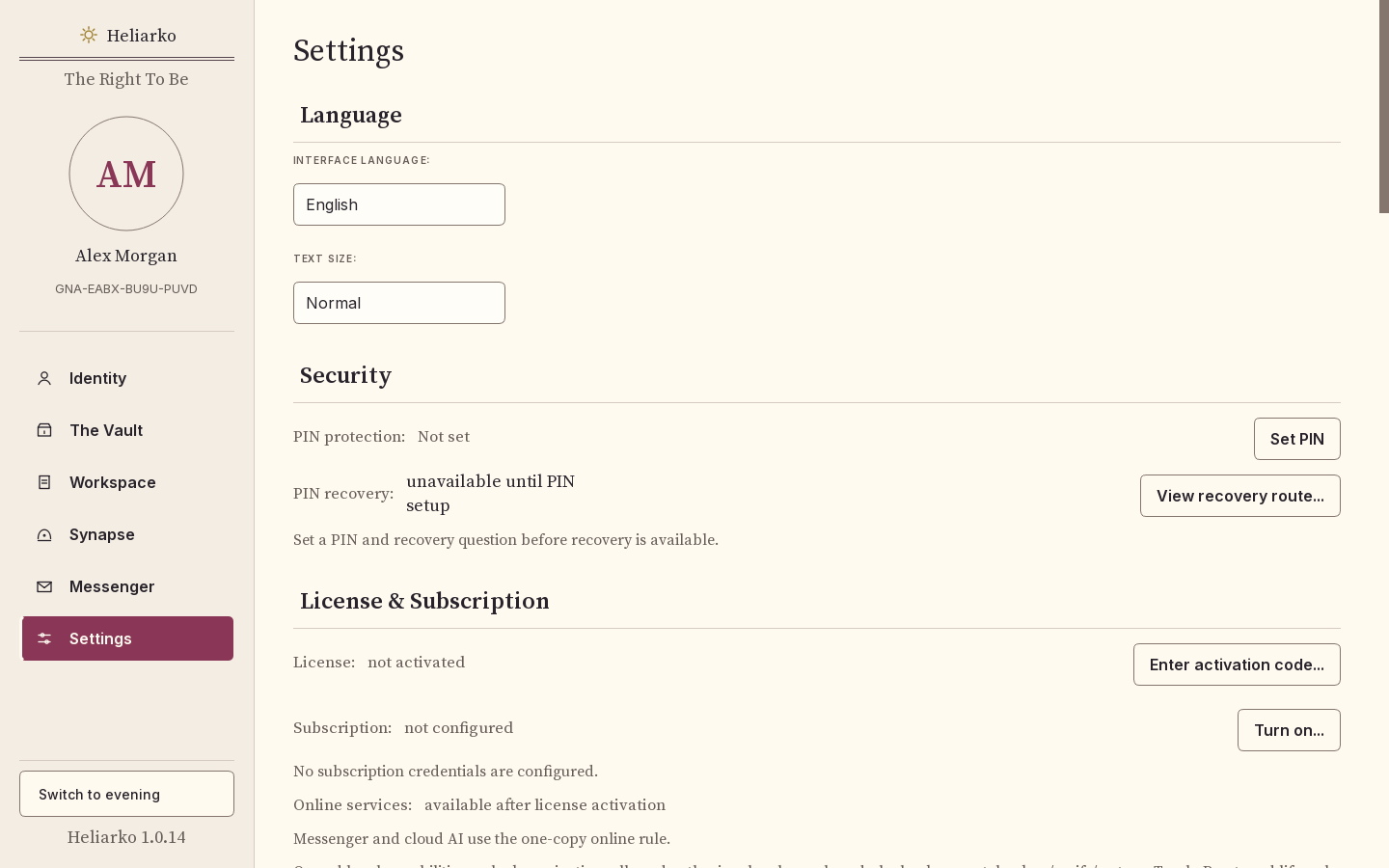
Where is the Capsule stored?
What protects it?
Which language does it use?
Which online functions are connected?
What information belongs to your profile?
What happens if you want to move the Capsule?
Or close it?
These are not technical footnotes.
They are part of ownership.
Settings should make the answers visible.
“Yours” only means something when you can see what you control.
Before a trip, you want a copy of everything.
Settings → Backup writes one file onto a USB drive.We hope Settings will keep answering every question about control in plain words as Heliarko grows: where your Capsule is, what protects it, what is connected, and how to take it with you.
- Language
- English, German, French, Spanish and Polish.
- Text size
- Normal or large.
- PIN
- Your PIN protects the Capsule. You can change it, and recover it on your own computer.
- Backup
- Create, check and restore one file with everything, on any drive you choose.
- License
- Your lifetime personal license is checked on your computer.
- Online access
- Messenger and online AI work on one copy of your Capsule at a time; you can move them to another copy.
The screen on this page was taken in Heliarko 1.0.14; these facts are checked in Heliarko 1.0.21.